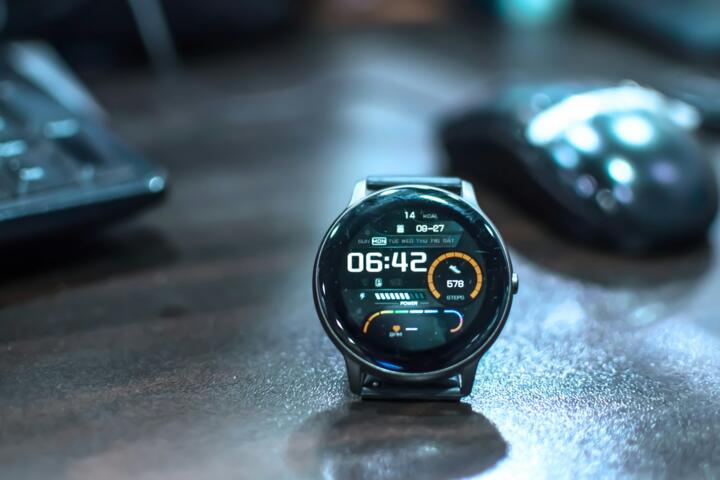
Inside Smartwatch Data
A smartwatch looks simple on the wrist. A small screen, a few icons, maybe a vibration at 7:30 in the morning. Inside, the device behaves like a constant measurement loop that never pauses.
Most modern watches sample motion between 50 and 200 times per second. That is enough to detect walking, running, and even subtle wrist shifts during sleep. The accelerometer does the heavy lifting. Heart sensors add another layer, usually sampling every few seconds unless workout mode turns on continuous tracking.
Sleep tracking alone can generate 3,000 to 5,000 data points overnight. That number sounds abstract until you realize it builds a timeline of movement, stillness, and pulse changes.
Data never sleeps.
Battery life tells another story. Continuous tracking drains power faster than passive use, often cutting runtime from 18 hours to closer to 12 on high-intensity monitoring settings.
Battery drains faster. Continuous tracking demands it.
Sleep And Step Problems
Most people trust step counts as a direct measure of health. That assumption breaks quickly. A wrist moving while cooking or typing still counts as steps on many devices.
Sleep tracking has similar issues. Light sleep often gets labeled as wakefulness or vice versa, depending on sensor sensitivity and calibration. Wrist-only systems miss breathing patterns and brain activity entirely.
Accuracy shifts with behavior.
You lose sleep clarity. Movement alone cannot explain rest quality.
Another problem sits in motivation loops. Hitting 10,000 steps becomes a daily target, even though that number came from a 1960s marketing campaign in Japan rather than medical research.
Step goals distort behavior. People walk in circles before bed just to close rings.
Heart rate data adds nuance but also noise. Stress, caffeine, and even room temperature can change readings by 10–20 beats per minute without any actual fitness shift.
Tracking Methods Explained
Motion Sensors And Steps
Accelerometers detect acceleration in three dimensions. Each wrist swing gets converted into a step estimate. Devices like Fitbit Sense and Apple Watch Series models use pattern recognition models trained on millions of movement samples.
Walking on a treadmill still counts. That surprises many users.
Some watches filter false positives using cadence thresholds. Others combine GPS and motion to refine accuracy during outdoor activity.
Numbers drift.
Heart Rate Sampling
Optical sensors flash green light into skin and measure blood flow changes. That reflection pattern estimates pulse rate every few seconds during rest and more frequently during workouts.
Garmin devices often prioritize endurance accuracy, while Apple Watch focuses on continuous background sampling. Differences appear during high stress or irregular rhythm moments.
Small errors accumulate over time.
Nothing stays perfectly steady.
Sleep Stage Estimation
Sleep is broken into light, deep, and REM stages using movement and heart rate variability. No wrist device directly measures brain activity.
That limitation matters. Sleep stages are inferred, not observed.
Short awakenings often disappear in the data unless they last long enough to trigger motion spikes.
Quiet nights can still be fragmented.
Heart Rate Variability
Heart rate variability measures the gap between beats in milliseconds. Higher variation often signals recovery states, while lower variation can appear during stress or fatigue.
Some watches sample HRV only during sleep to reduce noise. Others estimate it during rest periods throughout the day.
Context matters more than raw values.
Numbers shift fast.
GPS Movement Mapping
Outdoor tracking uses satellite signals to map distance and pace. Accuracy usually falls within 3–10 meters under open sky conditions.
Urban environments distort signals. Tall buildings create reflection delays that stretch or compress route data.
Runs become approximations.
Real World Examples
A 34-year-old office worker in London noticed 11,000 daily steps without structured exercise. After reviewing data, most of those steps came from short office movements and commuting transfers.
Another case involved a cyclist using a Garmin Edge and watch combo. The watch underestimated recovery needs after long rides because heart rate stayed elevated due to heat rather than exertion.
One more example came from a nurse working night shifts. Sleep tracking showed fragmented rest even during 6-hour sleep blocks. The watch captured movement but missed depth of sleep changes caused by irregular schedules.
Data tells partial truth.
Tracking Methods Table
| Method | Signal | Accuracy | Limit |
|---|---|---|---|
| Steps | Motion | Moderate | False moves |
| Heart Rate | Blood flow | High | Skin noise |
| Sleep | Motion+HR | Estimated | No brain data |
| GPS | Satellite | High outdoor | Urban drift |
Common Tracking Mistakes
People often treat smartwatch data as medical truth. That assumption creates confusion when numbers fluctuate without obvious cause.
Another mistake is comparing daily metrics too strictly. A 7,000-step day does not erase fitness progress built over months.
Sleep scores get overinterpreted as well. A score drop of 8 points rarely reflects a real physiological shift.
Context disappears.
Skipping calibration is another issue. Watches improve accuracy after repeated use, yet many users reset or switch devices often.
Environmental effects also get ignored. Temperature changes, alcohol intake, and late meals can all distort heart rate readings by noticeable margins.
Signals mix easily.
FAQ
Do smartwatches count steps accurately?
They estimate steps using motion patterns. Accuracy is decent for walking and running but weaker during non-walking arm movements like cooking or cleaning.
Can smartwatches really track sleep stages?
They approximate sleep stages using movement and heart rate patterns. They do not measure brain activity, so results remain estimates rather than clinical readings.
Why does my step count change during the day?
Devices often recalculate data when syncing with improved algorithms or correcting sensor drift. Small adjustments are normal.
Is heart rate data reliable?
Resting heart rate is usually stable within a few beats per minute. During movement or stress, readings can shift due to skin contact and environmental factors.
Do watches work without GPS?
Yes. They use accelerometers to estimate movement. GPS improves distance and pace accuracy outdoors but is not required for basic tracking.
Author's Insight
After looking at smartwatch data over long periods, I noticed how quickly people start trusting numbers without asking where they come from. A graph can feel precise even when it is built on estimates layered over estimates.
I started treating step counts as patterns rather than targets. That small shift reduced frustration on low-activity days.
Sleep data works better as a trend line than a verdict. One night rarely means much.
Signals improve understanding, not certainty.
Summary
Smartwatches collect motion, heart rate, and sleep signals through small sensors working continuously on the wrist. The data helps reveal patterns in activity and rest but still relies on estimation rather than direct measurement. Understanding how these systems work makes the numbers more usable and less misleading.
Use trends instead of single readings. Let the data guide awareness, not strict rules.