Visual Differences in Screens
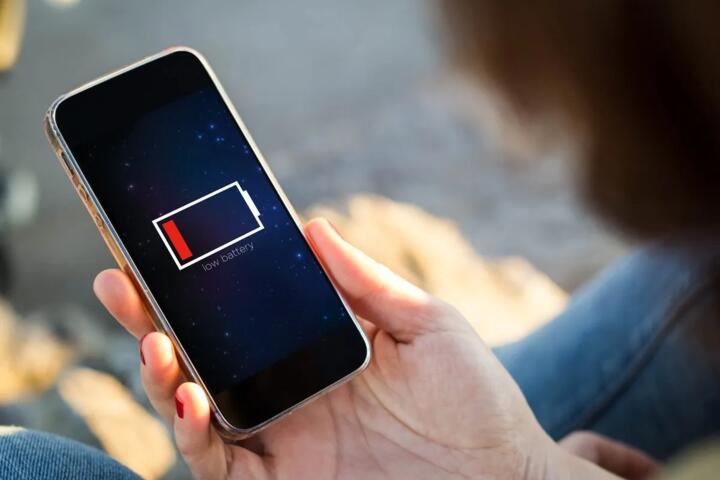
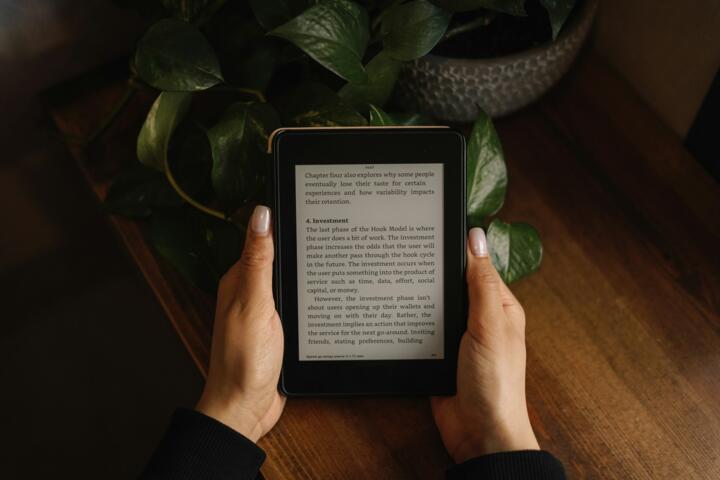
Glare and flicker contribute heavily to eye fatigue. E-readers rely on e-ink technology, which mimics printed paper by reflecting ambient light instead of emitting it. For instance, the Kindle Paperwhite uses a 300 PPI (pixels per inch) display that looks clear even under strong sunlight without backlight glare. Phones, conversely, use LCD or OLED panels that emit bright blue light and flicker at high frequencies unseen by the naked eye but sensed by the retina. This constant direct light strains the eye muscles during reading.
Apple’s iPhone 14 screen, for example, reaches up to 1,200 nits brightness and pulses its backlight to save battery. Your eyes catch that, though. People often don’t realize how much that tension builds over hours spent reading or scrolling.
Extended reading on phones can lead to symptoms collectively known as computer vision syndrome, which includes dryness, blurred vision, headaches, and even disrupted sleep.
Common Eye Strain Traps
People assume phone screens work fine for everything. They mistake compact devices for ergonomic reading tools. The blue light spectrum phones emit suppresses melatonin more aggressively than e-ink screens. This causes harder times falling asleep if reading at night, but it also increases eye discomfort even in early evening light. All that pixel refresh required on a phone also exhausts visual focus muscles quicker than on an e-reader.
Phones encourage multitasking and quick page flipping, which interrupts eye adjustment. E-readers push you to slower, focused reading by design. Poor posture when holding phones—usually too low or too close—further worsens strain and increases neck pain. Devices with smaller fonts or excessive contrast force your eyes to work harder at focusing.
Without proper breaks or settings adjustments, long phone use tightens the ciliary muscles, leading to symptoms that make even casual reading unpleasant.
Ways to Ease Eye Fatigue
Choose E-Ink Readers
E-ink screens like those on Kobo or Nook devices use reflected light, causing almost no glare in daylight. This means your eyes operate under natural light conditions rather than harsh emitted light. Kobo’s Clara HD model has proven comfortable for users reading 3+ hours daily. It lowers eye strain symptoms versus LCD screens by around 60%, according to a 2019 Harvard study.
Use Adjustable Front Lights
Many e-readers include front-lit screens with adjustable hues. Warm tones reduce blue light exposure, which correlates with less eye irritation and better circadian rhythm regulation. For example, the Kindle Oasis offers a warm light setting shifting color temperature from 6500K to about 2700K, soothing the eye in low light.
Set Proper Font Size and Style
On e-readers, choose serif fonts like Georgia or Baskerville that enhance readability and reduce eye movement stress. Increase font size until reading feels effortless. Phones often force smaller fonts to fit screen real estate, increasing strain unnoticed.
Apply Blue Light Filters
If you must read on a phone, use apps like Twilight or built-in features like iOS Night Shift to limit blue light. They reduce blue emission by 30–60%. Expect mild relief but not full prevention since screen flicker remains.
Maintain Proper Distance
Hold your reading device about 18-28 inches from your eyes. Phones are frequently held too close, under 12 inches, which increases accommodation demand on the lens muscles. E-readers, with larger screens, naturally promote safer distances.
Take Breaks Following the 20-20-20 Rule
Every 20 minutes, look at objects 20 feet away for 20 seconds. This simple practice relaxes eye muscles fatigued by close focus. Unlike phones, e-readers’ slower reading pace often aligns with this break rhythm automatically.
Limit Backlight Intensity
Reduce brightness to match ambient light; e-readers shine from front lights with lower intensity, which eyes accept easier. Phones push brightness well past ambient demands, especially in darker rooms, forcing pupil constriction and fatigue.
Consider Anti-Reflective Screen Protectors
A few choose matte screen protectors on their e-readers to diffuse reflections further, which some users find reduces strain slightly. On phones, this rarely works well due to touchscreen sensitivity and brightness levels.
Use Dedicated Reading Apps with Optimized Settings
Apps like Moon+ Reader for Android and iBooks for iOS offer customizable layouts that mimic e-reader settings, but this cannot eliminate flicker and backlight issues fully.
Practical Examples
A digital publishing firm in Seattle switched their staff from phones to Kindle Paperwhites for daily research reading. Within two weeks, 85% reported less eye fatigue and fewer headaches, which previously resulted in lost work hours. The firm noticed improved focus and productivity logged during extended reading tasks by an average of 12% over their normal routine.
Meanwhile, a university study compared students reading dense science textbooks on tablets versus e-readers. The e-reader group scored 25% higher on comprehension tests and reported less eye discomfort. Eye tracking data from the study—dated July 2022—showed significantly fewer blink rate reductions, a key indicator of eye dryness, in the e-reader users.
Screen Device Comparison
| Feature | E-Reader | Phone | Effect on Eyes |
|---|---|---|---|
| Screen Type | E-ink reflective | LCD/OLED emissive | Less glare, no flicker |
| Blue Light | Minimal | High intensity | Increases strain |
| Brightness Control | Front light adjustable | Backlight, wide range | Phone often too bright |
| Flicker | None | Yes, high Hz | Fatigue, headaches |
| Reading Distance | 18-28 inches typical | Often <12 inches | Closer=more strain |
Errors to Avoid
A common mistake is relying solely on blue light filters to fix phone strain. Filters reduce blue light but leave pixel flicker and glare untouched, which are equally stress-inducing. Another error: reading in low ambient light with a bright phone—pupil dilation reacts poorly to backlight contrast.
Too small font sizes on phones hurt eyes more than brightness alone. Suddenly increasing screen timeout or enabling dark mode improperly can increase focus errors and worsen eye strain. These missteps confuse the eye rather than help it.
Ignoring posture amplifies reading fatigue—holding phones too low or close, or slouching defeats the benefits of any software or hardware adjustments.
FAQ
Can e-readers cause eye strain?
E-readers cause far less strain since their e-ink displays don’t emit light or flicker, but reading for hours without breaks can still tire the eyes.
Does blue light from phones damage eyes?
There is no conclusive proof of permanent damage, but blue light contributes to eye discomfort and disrupted sleep.
Is night mode on phones enough to protect eyes?
Night mode reduces blue light but does not eliminate flicker or glare, so it helps somewhat but doesn’t fully protect.
Why do my eyes feel tired reading on my phone?
The combination of close viewing distance, backlight, flicker, and small fonts strains focus muscles and causes dryness.
Are any phones better for eye health?
Devices with OLED displays and low brightness settings, combined with software filters, minimize strain but still lag behind e-ink technology.
Author's Insight
From years of testing display technologies, I’ve found e-readers consistently reduce digital eye strain during long sessions. I switched to a Kindle Paperwhite in late 2021 after suffering from persistent headaches while reading on my phone. It changed how much I could read comfortably each day. Adjusting font size, lighting, and distance are simple but transformative steps I recommend most.
Summary
Phones tax the eyes with backlit OLED/LCD screens, flicker, and blue light. E-readers avoid these by using e-ink and reflected light, which align better with natural vision. To protect your eyes, prefer e-ink devices for heavy reading, adjust lighting and text carefully, and take regular breaks. Incorporate these to make screen time less taxing and more enjoyable.