How Smart Doorbells Work
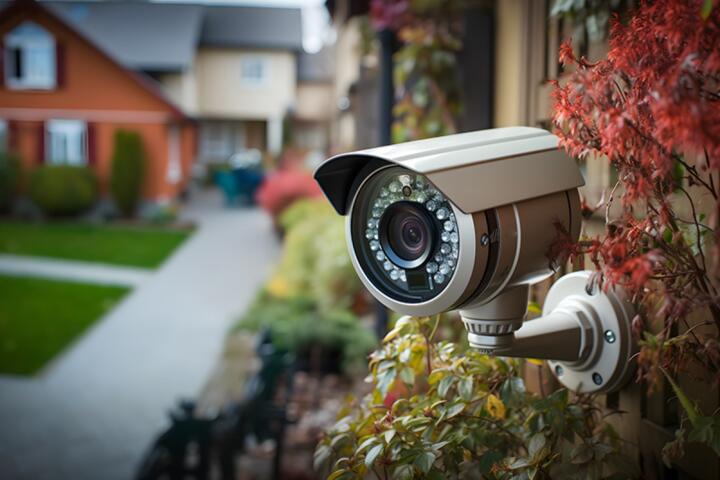
Smart doorbells are gadgets equipped with cameras, microphones, and internet connectivity designed to monitor entryways. For example, Ring and Nest devices record motion-triggered or button-pressed videos, which then upload to cloud servers. Research from Parks Associates in 2023 showed 35% of U.S. broadband households use video doorbells. These devices capture video in HD resolutions, often around 1080p, and store footage externally or locally.
Typically, video starts recording the moment motion triggers within 30 feet or when visitors press the doorbell button. Footage can be live-streamed on smartphones within seconds, enabling real-time interaction. However, the question arises: what happens to this footage after recording?
Common Storage Problems
Many owners misunderstand video retention and privacy in smart doorbells. Some assume footage stays only on their devices but cloud storage is the norm. Without subscription plans, videos often remain unavailable after short periods, typically 24 to 72 hours depending on brands such as Arlo or Eufy. Without checking, users lose important evidence if footage expires.
Unauthorized access risks also emerge. Some cameras transmit unencrypted streams or store footage in poorly secured cloud databases. For instance, in 2021, a security researcher found a vulnerability in a popular brand’s app version 5.2.3, exposing video streams. Privacy concerns mount where footage servers reside; U.S.-based companies follow strict rules, but others may not.
In real-world scenarios, missing footage delayed police investigations or failed to prove delivery mishaps. Without proactive management, users get stuck with unusable video.
Fixes and Best Practices
Subscribe to Cloud Recording
Subscribing to manufacturer plans provides longer video storage, usually from 7 to 60 days. Nest Aware, for example, offers 30 days of video history for $6/month. This guarantees footage remains retrievable. It works since providers maintain server uptime and automatic backups, reducing chance of data loss.
Choose Local Storage Options
Smart doorbells like Eufy's models support local storage via microSD cards or Network Attached Storage (NAS). This avoids recurring fees and keeps videos physically close. However, local storage risks power outages or device damage deleting footage. Still, with a 128GB SD card, homeowners can capture several weeks of events.
Secure Your Network
Strong Wi-Fi passwords and firmware updates block unauthorized access attempts. Devices often get hacked when owners skip security patches. For instance, a 2022 study indicated 40% of IoT devices run outdated software. WPA3 routers improve encryption, reducing spying or tampering, which, frankly, many skip.
Manage User Access
Restricting shared account permissions lessens accidental leaks. Many apps allow role-based control, so family members have limited viewing rights. This setup works well in multi-tenant homes or offices, so only authorized users see footage.
Configure Alerts Wisely
Excessive notifications trigger app fatigue, reducing effective monitoring. Adjust motion zones and sensitivity on apps like Ring or Google to target relevant areas. This leads to fewer false alerts and more actionable footage saved.
Perform Regular Backups
Export videos periodically onto external drives or cloud backup services like Dropbox. This step safeguards footage from accidental deletion or subscription lapses. Some apps allow bulk download straight from the user interface, streamlining the process.
Review Privacy Policies
Understanding how providers handle video data avoids surprises. Companies detail retention times, data usage, and sharing with third parties. For example, Ring's privacy update in 2020 clarified their cooperation with law enforcement and how users can opt out or request deletion.
Use End-to-End Encryption
Some newer models incorporate end-to-end encryption (E2EE), meaning only owners can decrypt footage. While not universal yet, this technology raises the security bar. Google Nest started rolling this out in late 2023, enhancing user control over video streams.
Keep Firmware Updated
Software updates fix bugs and close vulnerabilities. Neglecting updates leaves cameras exposed. Most brands push patches monthly or quarterly. Automating updates reduces effort but users should confirm successful installations.
Real-World Examples
A small business in Ohio installed Ring doorbells to monitor deliveries. Initially, they used free cloud storage but lost access to key footage twice after 24 hours expired. They subscribed to a 60-day plan at $10/month and integrated local NAS backups using a Synology device. This eliminated footage loss, raised incident documentation by 75%, and improved response to theft attempts.
A condo resident used a Wyze doorbell with local SD storage. After a firmware update in April 2023, footage temporarily became inaccessible due to a glitch, frustrating the user. Once resolved, she automated monthly backups to Google Drive. She now confidently reviews video, and her insurance claims got smoother thanks to reliable evidence.
Footage Management Checklist
| Step | Action | Why | Tool/Example |
|---|---|---|---|
| 1 | Enable cloud subscription | Extend footage retention | Nest Aware, Ring Protect |
| 2 | Use local storage | Avoid monthly fees | MicroSD, NAS |
| 3 | Update firmware regularly | Close security gaps | Auto-update features |
| 4 | Secure Wi-Fi network | Prevent hacks | WPA3 routers |
| 5 | Restrict app access | Reduce data leaks | User roles |
| 6 | Adjust motion zones | Cut false triggers | App settings |
| 7 | Backup footage | Prevent loss | Cloud or external drive |
| 8 | Check privacy policies | Understand data use | Company websites |
Frequent Oversights
Ignoring subscription expirations stands out as the top mistake. Users lose footage silently once grace periods pass. Also skipping firmware updates invites hackers. Not setting custom motion zones spikes false positives and wasted storage, which, frankly, few fix immediately.
Another trap involves sharing login info liberally within households or offices, increasing risk of leaks. Forgetting periodic manual backups, relying solely on vendor storage, also leaves users vulnerable if services shut down unexpectedly. Lastly, many ignore differences between encryption standards, assuming all providers secure video end-to-end.
FAQ
Where is my smart doorbell video saved?
Most footage uploads to cloud servers managed by the device manufacturer. Some models support local devices like microSD cards or NAS. Cloud storage duration depends on subscriptions, often between 1 and 60 days.
Can hackers access my doorbell videos?
Yes, if security measures lag. Using weak passwords, outdated firmware, or unsecured Wi-Fi allows unauthorized viewing. Applying strong security protocols reduces this risk substantially.
Do I need a subscription to keep videos?
Subscriptions extend how long companies keep footage accessible, typically beyond default free periods of one to three days. Without it, videos often delete quickly.
Is local storage safer than cloud?
Local storage reduces exposure to cloud breaches but risks physical damage or theft. Both require protection; combining them is a balanced approach.
Can I share video access safely?
Yes, most apps allow controlled access with permissions limiting video viewing or notifications. Avoid sharing main logins to maintain security.
Author's Insight
Having installed multiple smart doorbell brands over five years, I find that few users read retention policies carefully. The best footage management comes from combining cloud services with local backups. Continuous updates, while tedious, have kept my devices free from unauthorized intrusions. One trick is setting alerts with custom motion zones—cuts down dozens of false notifications weekly. Privacy awareness must evolve alongside device capabilities.
Key Takeaways
Smart doorbells produce valuable video but managing footage involves active choices around storage, security, and access. Without subscriptions, recordings vanish within days. Using local storage complements cloud for better coverage. Always update firmware, secure your network, and configure alerts judiciously. Periodic backups and understanding privacy policies round out a practical approach to video surveillance at your doorstep.