Why Chargers Differ
A charger is not just a plug. Inside, there is voltage regulation, heat control, and power negotiation happening in milliseconds. A basic 20W adapter and a 65W unit can both charge a phone, but they do it in very different ways.
Cheap chargers often skip tighter voltage control. That leads to unstable output during peak draw. The phone reacts by throttling input. Charging slows down near 70%.
Expensive units from Anker, Belkin, or Apple usually support USB Power Delivery profiles that match device demand more precisely. That matters more with laptops and tablets than small phones.
Skip wattage assumptions. Devices negotiate power.
A $15 charger can still say “fast charge” on the box. That label hides nothing and everything at once.
Small print matters here.
Where Cheap Chargers Fail
The biggest gap shows up under load. A phone pulling 18–25W during fast charge exposes weak thermal design quickly. Heat rises, then current drops.
In cheap units, components run near their limit. That creates ripple noise in output voltage. Batteries dislike that pattern over time.
Battery wear accelerates.
Some low-cost chargers also skip proper certification like USB-IF compliance. That does not always mean failure, but it raises variance in behavior across devices.
A 5V output is not always stable 5V. It drifts under stress, especially during simultaneous charging and screen use.
Phones notice first.
How To Choose Better
Check Power Delivery Specs
USB-C Power Delivery defines how devices and chargers talk. A 30W phone charger and a 100W laptop charger use different PD profiles. Matching those profiles reduces throttling events.
Modern laptops like MacBook Air or Dell XPS rely on stable PD negotiation above 45W. Without it, charging pauses under load.
Numbers matter here. 65W is a common sweet spot.
Look For GaN Efficiency
Gallium Nitride (GaN) chargers from brands like Anker and UGREEN run cooler at the same output. That is not marketing noise; it comes from lower switching losses inside the circuit.
Smaller size is a side effect, not the goal. Heat reduction is the real shift.
A 100W GaN charger can sit in a palm.
Check Certification Marks
CE, UL, and USB-IF certification signals consistent safety testing. Non-certified chargers sometimes pass basic charging tests but fail long-duration stress tests.
Failures rarely look dramatic. They show up as flicker, heat spikes, or slow degradation after a few months.
Certification reduces variance.
Match Cable Quality
Charging speed depends on the weakest link. A 60W charger paired with a 15W cable caps performance instantly.
Look for e-marked USB-C cables rated for 3A or 5A current. Length also matters; 2 meters introduces more resistance than 1 meter.
Long cable, slower flow.
Watch Wattage Mismatch
Using a 100W charger on a phone is safe because devices pull only what they need. The reverse is not true. A 20W charger cannot feed a 65W laptop under load.
Conclusion first: mismatch kills speed. The reason is simple power ceiling.
Devices cap intake automatically.
Check Heat Behavior
Heat is the silent signal. Chargers that feel hot at 30–40°C ambient temperature often run inefficient conversion stages.
Over time, heat stresses both charger and battery chemistry. Capacity loss becomes visible after hundreds of cycles.
Warm is fine. Hot is not.
Brand Ecosystem Matters
Apple devices respond best to USB-PD profiles tuned for their voltage steps. Samsung Super Fast Charging uses PPS (Programmable Power Supply) that adjusts voltage dynamically.
Third-party chargers can support these protocols, but cheaper units often skip PPS entirely.
Result: slower peak charge.
Travel Vs Desk Use
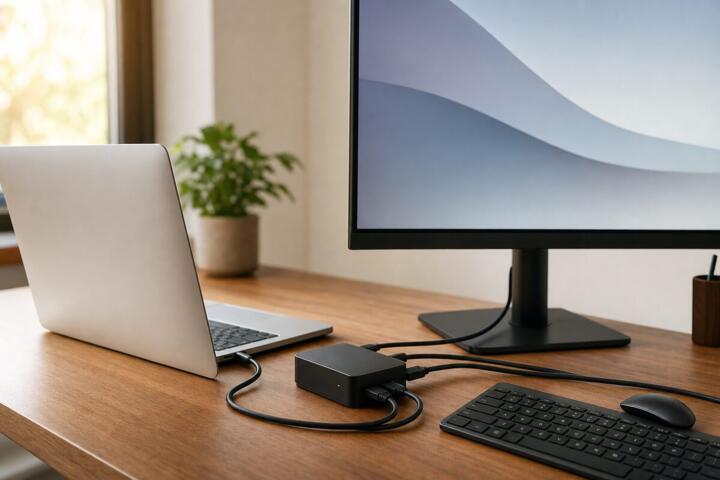
Compact GaN chargers are better for travel. Multi-port desktop bricks from Anker or Belkin work better for fixed setups charging 3 devices at once.
Conclusion first: one charger is not enough. The reason is device spread across rooms and bags.
Different contexts demand different outputs.
Real World Tests
A 2024 comparison between a $12 generic 30W charger and a $59 GaN 65W unit showed a 27-minute difference in charging a 4,500 mAh phone from 10% to 80%. Both used USB-C PD, but only one maintained stable current above 70% battery.
Another test using a MacBook Air showed a cheaper 45W adapter throttling under multitasking loads like video calls and file transfers. The laptop stayed plugged in but still lost 6% over two hours.
Premium charger held steady.
These gaps repeat across devices, not brands. The pattern is consistency under stress, not headline charging speed.
Specs Side By Side
| Type | Watt | Heat | Result |
|---|---|---|---|
| Cheap | 20W | High | Throttles |
| Mid | 45W | Medium | Stable |
| GaN | 65W | Low | Consistent |
Buying Mistakes
Most buyers focus on wattage printed on the box. That number alone hides efficiency loss, heat design, and protocol support differences.
Another mistake is mixing cable standards with charger capability. A 100W charger paired with a weak cable performs like a mid-tier setup instantly.
People overtrust branding on packaging.
Ignoring heat during first use leads to long-term battery stress that shows up months later as reduced capacity.
Buying the cheapest option often works short term but introduces instability across multiple devices like tablets, phones, and headphones.
The pattern repeats.
FAQ
Is an expensive charger safer?
Generally yes, because certified components reduce voltage instability and heat spikes. Safety is tied more to design standards than price alone.
Do fast chargers damage batteries?
Not directly. Devices regulate input. Damage comes from excess heat or unstable current, not fast charging itself.
Why do cheap chargers get hot?
Lower-quality components waste more energy as heat during conversion. That heat signals inefficiency under load.
Can I use a 100W charger on a phone?
Yes. The phone draws only what it needs, often 18–30W depending on model and protocol support.
What matters most in a charger?
Stability of output, protocol support like USB-PD or PPS, and thermal control matter more than printed wattage.
Author's Insight
I’ve tested chargers across price ranges for years, and the pattern never shifts. The cheaper units behave fine on day one, then start drifting under real-world load. Heat tells the story faster than specs do.
If I had to pick one rule, I would choose stability over peak speed. The difference shows up not in the first minute, but after months of daily cycles...
Summary
Cheap chargers and expensive chargers overlap on paper but diverge under stress. Heat control, protocol support, and voltage stability separate them more than wattage labels. Better units reduce charging inconsistency and long-term battery strain.
Check certification, match cables, and avoid blind trust in printed specs. The gap is not dramatic at first glance, but it compounds quietly over time.