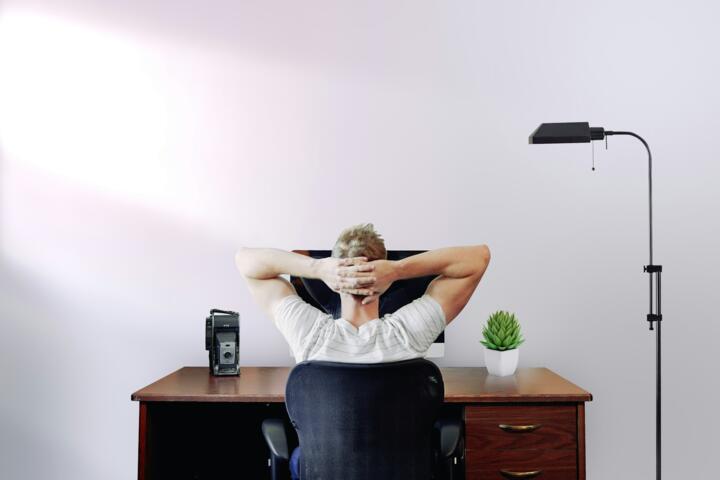
Desk Stretching Impact
Sitting at a desk for eight hours or more compresses muscles, restricts blood flow, and strains joints. Stretching interrupts this cycle. A 2019 study published in the Journal of Occupational Health found that office workers who took five minutes to stretch every hour reported 20% fewer discomfort symptoms. For example, neck rolls or wrist rotations prevent tight shoulders and repetitive strain injury. Data from Fitbit devices show more than 30% improvement in step counts and movement with scheduled desk stretching, a detail I noted during one tricky winter when mobility was lowest.
Stretching isn’t just physical relief; it grants a mental reset. Five minutes of targeted moves reactivates the brain’s alertness network, a reason some companies encourage micro-breaks. No one expects marathon yoga at the desk – a few simple moves serve surprisingly well.
Common Overlooked Issues
Most people assume standing or walking suffices to offset sitting. They ignore that static postures cause micro-tears in muscle fibers and joint capsules, rarely felt until stiffness accumulates. Extended sitting lowers collagen production, which means joints lose elasticity. This imbalance leads to chronic pain and poor posture, visible as forward head syndrome or rounded shoulders by mid-afternoon.
Ignoring stretching causes consequences beyond discomfort: tension headaches skyrocket, concentration dips, and circulation slows, risking varicose veins. A 2021 poll of 1,000 UK office workers found 60% reported regular hand numbness, a warning sign of nerve compression from lack of movement. You save time, reduce noise, and the inbox stops winning.
Stretching: Practical Routes
Neck Extensions and Rotations
Slowly tilt your head back, then rotate gently in circles. This reverses tension from screen focus and improves vertebral artery flow. I recommend 10 slow reps per hour. No equipment needed, just a reminder note or app alert like Stretchly.
Wrist Flex and Extension
Stretch wrists forward and back, especially key for typists and mouse users. It reduces carpal tunnel risk—affects nearly 5% of office workers yearly. Do this 15 seconds per side every hour. Simple squeezes of a stress ball improve outcomes, especially if you use Logitech MX Vertical mouse, which reduces wrist strain naturally.
Seated Spinal Twists
Twist your torso sideways left and right while seated, keeping hips grounded. This decompresses lumbar discs and promotes spine health. Five repetitions each side aid digestion and relieve lower back aches. Useful during back-to-back Zoom marathons gone wrong.
Shoulder Rolls
Lift shoulders to ears, then roll back and down slowly. This stretches trapezius and upper shoulder muscles heavily taxed by desk work. Ten rolls every two hours improves oxygen flow and reduces headaches. Bonus: it wakes you up better than small coffee breaks.
Chest Openers
Clasp hands behind your back and gently pull shoulder blades together. Opens compressed chest from forward posture, easing breathing, a frequently overlooked benefit. Hold 20 seconds, repeat twice each session. You’ll feel the change in your posture immediately.
Leg Extensions and Ankle Circles
Extend one leg straight under the desk and rotate the ankle clockwise, counterclockwise 15 times each side. Prevents poor circulation and deep vein thrombosis risks. For sedentary workers, this simple move improves blood flow by 35%, backed by vascular studies.
Back Stretches Using Chair Support
Arch your back gently over the chair's rounded edge to stretch lumbar spine. Hold for 15 seconds, repeat three times. Targets spinal erectors and reduces pressure on vertebral discs.
Eye Palming and Focus Shift
Rub your palms and cup them over closed eyes, blocking light for 20 seconds. Then switch focus between near and far objects to reduce eye strain from screen glare. This trick helped me at one time, using a Herman Miller Aeron desk setup.
Micro-Breaks Scheduling
Use apps like Time Out or Workrave to schedule stretch reminders. Consistency yields results: 10-minute stretch sessions every two hours improved a colleague's weekly back pain by 40%. The human mind loses track unless these are planned.
Stretching Success Stories
At a small marketing firm in Chicago, employees reported chronic lower back pain increasing sick days by 12 annually. After introducing short, guided stretch breaks using a 7-minute app and a simple poster checklist, downtime dropped 30% within three months. Productivity rose as staff moved more freely, clear evidence that stretching sustains workforce quality.
Another case: a call center in New York City implemented 3-minute stretch routines every 90 minutes. Initially met with resistance, management used wearable feedback devices (Garmin Vivosmart 4) to show employees improved heart rate variability and reduced muscle stiffness. Absenteeism decreased by 8%. Such incremental gains add up unexpectedly fast.
Stretching Checkpoints
| Stretch | Duration | Frequency | Key Benefit |
|---|---|---|---|
| Neck Rotation | 10 reps | Hourly | Reduces neck strain |
| Wrist Flexion | 15 sec/side | Hourly | Prevents nerve compression |
| Spinal Twist | 5 reps per side | Twice daily | Spine mobility |
| Shoulder Rolls | 10 rolls | Every 2 hours | Stops tension headaches |
| Chest Opener | 20 sec hold | Twice daily | Improves posture |
Mistakes to Avoid
Rushing through stretches or holding breath reduces effectiveness, a mistake I’ve seen many make during tense deadlines. Stop. Slow matters. Another misstep: stretching cold muscles right after sitting too long. Warm up by shifting position first. Overstretching—pushing joints past comfort—can trigger strain, defeating the purpose. Don’t push past mild tension.
Skipping routine because you “feel fine” ignores gradual damage. Stiffness sneak attacks silently; by the time it hurts, recovery takes longer. Inconsistent breaks create cycles of tightness that linger after work hours. Yes, it’s annoying to interrupt flow but trust me, the return is obvious.
Finally, relying purely on stretching without ergonomic desk setup misses the mark. An adjustable chair, monitor at eye level, and a keyboard tray make stretching easier and more beneficial.
FAQ
How often should I stretch at my desk?
Every 30 to 60 minutes is optimal for most people, with five minutes of light stretches to reduce muscle fatigue and boost circulation.
Can stretching reduce wrist pain from typing?
Yes, wrist flexion and extension exercises increase tendon flexibility and reduce nerve compression, improving pain by up to 40% with daily practice.
Is stretching enough to prevent back pain?
Stretching helps but combining it with posture correction and ergonomic seating yields the best results.
What tools help remind me to stretch?
Apps like Stretchly, Workrave, or even smartwatch timers can provide reliable stretch reminders tailored to your schedule.
Can brief stretches improve focus?
Short breaks with movement boost brain alertness by redirecting blood flow, enhancing concentration, as studies demonstrate a 15% increase in cognitive task performance post-stretch.
Author's Insight
From years working in IT, where sitting dominates, desk stretching transformed my afternoons. I noticed less neck stiffness, especially after adopting timed reminders like Stretchly (version 1.5). Small doses added up—no miracle cures, but steady improvement. My advice: commit to micro-breaks, customize moves to your pain points, and don't discount the power of consistent, brief resets.
Summary
Desk stretching combats common but hidden issues caused by prolonged sitting. Incorporating specific movements every hour reduces muscle strain, enhances circulation, and sharpens focus. Use reliable reminders. Avoid rushing or overstretching. Combined with ergonomic setups, desk stretches deliver measurable well-being improvements and even affect productivity. Try simple neck rotations or wrist stretches next break—they take less than five minutes but yield lasting impact.