Hidden Fees In “Free” Apps
“Free” fintech apps often fund operations through pricing that does not look like a monthly bill. The cost may arrive as a spread on card transactions, a markup on foreign exchange, a reduced yield on cash balances, or a fee that triggers only after a specific action. A budgeting app can be “free” while its connected bank feed still routes you through a partner network that earns revenue elsewhere. A payment app can offer zero-cost transfers while charging for instant withdrawals, chargebacks, or premium account features.
To make this concrete, compare three common user journeys. First, you move money out quickly and the app charges an “instant” fee. Second, you hold cash inside the app and the yield is lower than a comparable high-yield account. Third, you spend abroad and the exchange rate includes a hidden markup. Each path changes the effective price, and each path can be missed if you only scan the app store listing.
One practical aside: on iOS, I often see pricing screens updated after an app version bump (for example, version 3.14.2) and the in-app wording lags behind the legal terms. That mismatch matters because the fee you pay is governed by the terms you accepted, not the marketing label you saw first.
What People Get Wrong
Many users treat “free” as a promise that the app has no revenue model tied to their behavior. That assumption fails because fintech companies can earn money without charging a visible subscription. Payment networks, interchange economics, partner referrals, and interest on float are all ways to monetize without a “$9.99/month” headline.
Another common mistake is focusing on one fee line while ignoring the fee stack. A card-linked app can charge no monthly fee, but still take money through interchange retention, foreign exchange spreads, and ATM surcharges when you withdraw cash. The app may also pass through third-party charges such as network fees, which appear in the transaction history rather than in the pricing page.
Users also underestimate how “free” can change after onboarding. Some apps start with a promotional rate for cash balances or waive a transfer fee for the first month, then revert to a standard schedule. Others offer free transfers only between certain rails, while transfers to external banks use a different method with different costs.
Supporting technologies drive these outcomes. Payment apps rely on card networks (like Visa or Mastercard), bank transfer rails (like ACH in the United States), and sometimes card issuing partners. Investing apps rely on brokerage custody arrangements and order routing. Cash management features rely on how the app sweeps funds into partner accounts. Those plumbing choices determine where fees appear and when they trigger.
How To Audit Costs
Check The Pricing Triggers
Start with the actions that change the fee schedule: instant withdrawals, international transfers, foreign card spending, chargebacks, and premium account tiers. In the app, open the “Fees” or “Pricing” page and then cross-check the transaction history for the last 30–90 days. Look for labels like “instant,” “processing,” “exchange,” “service,” or “network.” If the app offers multiple withdrawal speeds, compare the fee difference in dollars, not percentages.
Realistic outcome target: for many users, the first audit reveals one or two recurring triggers that account for most of the cost. If you see a $0 fee for standard transfers but a $1–$5 fee for instant withdrawals, your effective cost depends on how often you choose the faster option.
Tool tip: keep a spreadsheet with columns for date, action type, amount, and fee. Even a simple export from the app’s transaction history can help you spot patterns quickly.
Compare Effective Yield
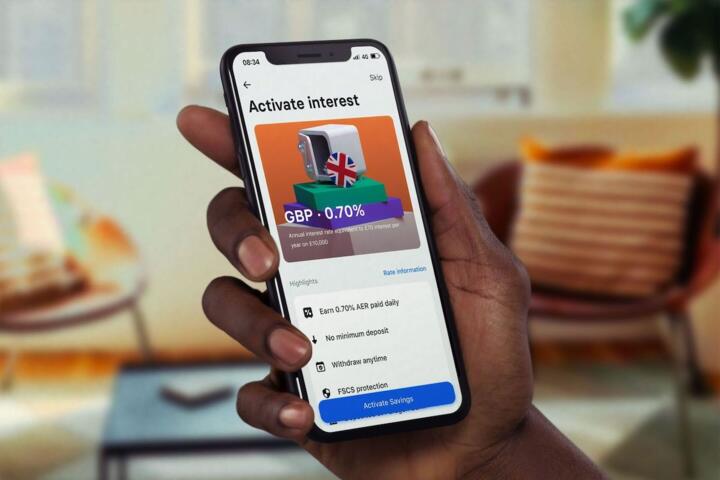
If the app pays interest on cash balances, compare the effective annual percentage yield (APY) after fees and after any conditions. Some apps advertise a high APY but require a minimum balance, a linked card spend threshold, or a limited promotional period. Others pay interest only on a portion of your balance or only during certain settlement windows.
To compare fairly, use a baseline: a comparable high-yield savings account or money market fund with a similar risk profile. Then estimate the monthly interest difference using your average balance. If the app’s APY is lower by 1–3 percentage points, that gap can outweigh “free” features for users who keep cash in the app for months.
Aside: I’ve seen cash-management screens show “up to” rates, and the fine print later clarifies the actual rate depends on partner account terms. The rate you earn is the rate you actually receive, not the top-line number.
Inspect Exchange Rates
For spending or transfers involving another currency, the fee often hides inside the exchange rate rather than as a separate line item. Look for the “rate” used for conversion and whether the app discloses a markup over the interbank rate. Some apps show a “rate includes fees” statement, which means the cost is embedded in the number you get.
Practical method: pick a recent transaction in a foreign currency, note the amount in your home currency, and compare it to the interbank rate on or near the transaction date. You will not get an exact match because settlement timing differs, but a consistent gap can reveal a markup pattern.
Outcome expectation: for frequent travelers, exchange-related costs can exceed other fees even when transfers are “free.” For occasional travel, the cost may be small enough that convenience dominates.
Read Terms For Subscriptions
Some apps label core features as free while charging for “pro” analytics, budgeting exports, tax reports, or premium support. The hidden part is not the subscription itself; it is the trial-to-paid conversion, the renewal cadence, and the cancellation friction. Check the renewal date and whether cancellation stops future charges immediately or at the end of the billing cycle.
In app stores, confirm whether the subscription is managed through Apple/Google billing or through the app’s own checkout. That detail affects how refunds and cancellation requests work. Also check whether the app offers annual plans that reduce the monthly price but increase the risk of paying for a feature you do not use.
Small frustration to watch: some apps show “upgrade” banners inside the interface while the pricing page lists different feature names. Match the feature list to the subscription terms so you do not pay for something you never enabled.
Case Examples With Realistic Outcomes
Instant Withdrawals Add Up
An anonymized user uses a payment app for salary deposits and bill payments. They choose “instant” withdrawals twice per month to move money to a debit card. The app charges a $2.99 instant fee each time, while standard withdrawals are free. Over six months, the instant fees total $35.88, which exceeds the value of a free premium analytics trial that ended after month one.
The user fixes the cost by switching to standard withdrawals and setting a calendar reminder for the withdrawal day. They also keep a small buffer in the linked account to avoid needing instant access during weekends.
Foreign Spending Through Rate Markups
An anonymized user spends abroad using a card-linked fintech account. The app shows no foreign transaction fee in the card terms, but the exchange rate used for conversion includes a markup. Over a two-week trip, the user notices that the effective rate is consistently worse than the interbank rate by a few percentage points. The user confirms this by comparing three transactions on the same day and seeing similar gaps.
They reduce the cost by using a card that discloses a lower foreign exchange markup and by limiting small purchases that settle at different times. The user still uses the app for budgeting, but they stop relying on it for currency conversion.
Fee Checklist And Comparison
| Fee Type | Where It Shows Up | How To Check | Who Pays Most |
|---|---|---|---|
| Instant Withdrawal Fees | Transaction history line items | Compare instant vs standard withdrawal options | Users needing same-day cash |
| Foreign Exchange Markups | Embedded in conversion rate | Compare effective rate to interbank on/near date | Travelers and cross-border spenders |
| Lower Cash Yield | Interest statements or balance screens | Compare APY and conditions to alternatives | Users holding cash for months |
| Subscription Upgrades | App store billing or in-app invoices | Check renewal date and cancellation path | Users who forget trials |
| Third-Party Pass-Through Fees | Network or partner charge lines | Read fee disclosures and transaction details | Users with unusual transfer types |
Step-by-step checklist you can run in 15 minutes:
- Open the app’s “Fees/Pricing” page and list every fee that triggers on an action you actually use.
- Export or screenshot your last 30–90 days of transactions and mark any lines labeled “instant,” “exchange,” “service,” or “processing.”
- If the app pays interest, record the APY and any conditions, then compare to a baseline savings or money market option.
- Check subscriptions in the app store and confirm renewal date, cancellation method, and whether a trial converted.
- For foreign currency activity, compare the effective exchange rate on a few transactions to the interbank rate near the transaction date.
Common Mistakes To Avoid
Users often rely on a single screenshot of pricing from the day they installed the app. Terms can change, and the legally binding version is the one you accepted at the time of use. Save the pricing page URL and the date you checked it, then re-check after major app updates.
Another mistake is ignoring the “how” of transfers. ACH transfers, wire transfers, and card-based transfers can have different costs and different settlement timelines. If you only compare the headline fee for one transfer type, you miss the cost of the transfer type you actually use most.
People also confuse “no fee” with “no cost.” A fee can show up as a lower interest rate, a worse exchange rate, or a delayed withdrawal that forces you into a paid instant option. That pattern looks like convenience until you tally the dollars.
Finally, users sometimes cancel subscriptions but keep paying through another channel. If the subscription is managed through Apple/Google billing, cancellation must happen there. If the app offers add-ons inside the account, those add-ons can remain active after you cancel the main plan.
FAQ
How can a fintech app charge fees without a monthly subscription?
Fees can appear as instant withdrawal charges, embedded foreign exchange markups, reduced interest on cash balances, or pass-through third-party network charges that show up in transaction details.
Where do I find the real fee schedule inside an app?
Check the app’s “Fees,” “Pricing,” or “Help” pages, then cross-check the last 30–90 days of transaction history for fee labels tied to actions you used.
How do I compare cash interest rates across fintech apps?
Compare the stated APY and the conditions that affect it, then estimate interest using your average balance and compare to a baseline savings or money market option.
Do foreign transaction fees always show as a separate line item?
No. Some apps disclose no separate foreign transaction fee but embed the cost in the exchange rate used for conversion.
What should I check before starting a “free trial”?
Confirm the renewal date, billing cadence, cancellation method, and whether the subscription is managed through the app store or the app’s own checkout.
Author's Insight
“Free” fintech pricing usually reflects a mix of revenue sources: interchange economics, partner referrals, interest on held funds, and fees tied to specific user actions. The most reliable way to evaluate cost is to audit your own transaction history and compare the effective outcomes—withdrawal speed costs, exchange-rate differences, and interest earned—against a baseline alternative.
Because pricing terms can change and app interfaces can lag behind legal disclosures, readers should treat screenshots as temporary evidence and re-check fee pages after updates. When you cannot find a clear disclosure for a fee type, the transaction history becomes the best available record.
For health-adjacent readers who use fintech for payments and budgeting, the same method applies: track the dollars leaving your account, not the label on the app.
Key Takeaways
“Free” fintech apps often charge through instant withdrawal fees, embedded exchange-rate markups, lower cash yields, or subscription trials that convert. Audit the fee triggers you actually use by reviewing recent transaction history and the app’s pricing terms. Compare effective outcomes—interest earned and exchange rates—against a baseline alternative, not against the word “free.” If you find a recurring cost, change the behavior that triggers it or switch to a product with clearer pricing for that specific action.