Recycling Old Electronics
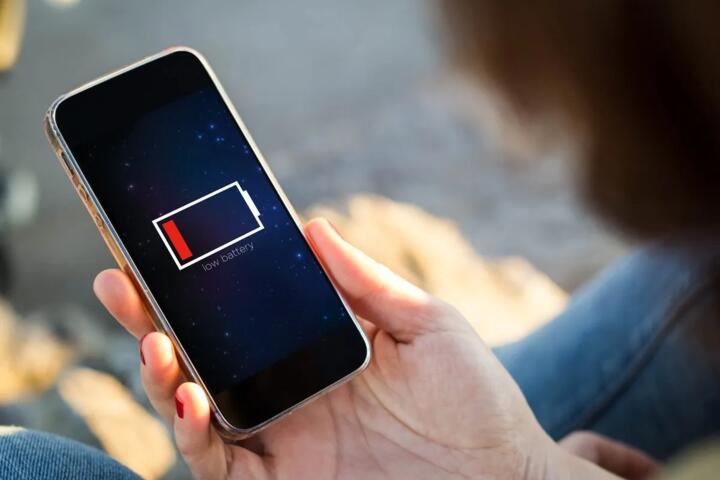
Old electronics recycling covers more than “dropping off a box.” It includes sorting by material type, managing batteries and capacitors, and controlling how plastics, circuit boards, and screens get treated so hazardous substances do not escape into air, water, or soil. A practical example: a used smartphone often contains a lithium-ion battery, gold-bearing connectors, and trace metals on circuit boards, so it needs a recycler that handles batteries as a regulated waste stream rather than treating the phone like mixed trash.
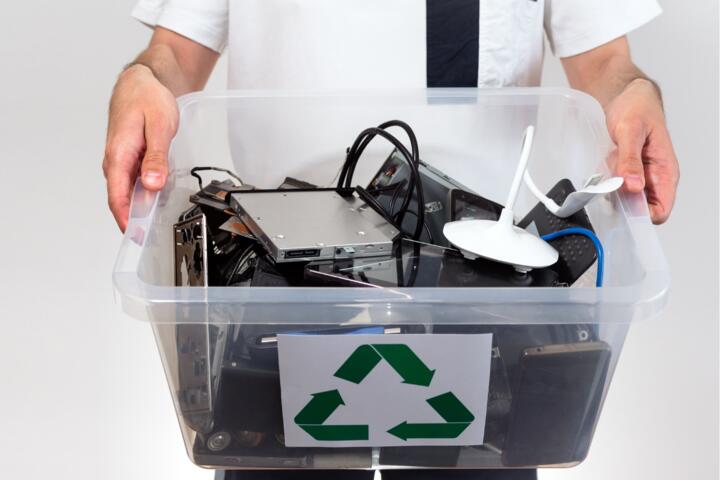
For many households, the safest path starts with separating items that behave differently during processing. Batteries and devices with built-in batteries are handled under different rules than unplugged chargers, cables, or metal-only parts. Screens also matter because they may contain layers that require controlled processing. If you have a mix—say, a laptop, a tablet, and a pile of chargers—sorting before you drop them off reduces the chance that a recycler has to guess what’s inside.
Keep a simple inventory on paper or in a notes app: device type, approximate model year, and whether it has a battery. That list becomes useful when you ask a drop-off site how they handle lithium batteries and whether they wipe data. I’ve seen people show up with “a few devices” and then get told to come back later, which is frustrating when you already scheduled the trip.
Common Safety And Compliance Gaps
People often assume that any electronics drop-off is the same, but the handling steps differ by facility. Some operations focus on resale or refurbishment, while others focus on material recovery. Both can be legitimate, yet the safety controls for batteries and hazardous components vary with the facility’s permits and documented procedures.
Data handling is another frequent blind spot. A factory reset removes many user files, but it does not always remove data from every storage layer in every device state. Some devices also retain information in cloud-linked accounts until you sign out. If you recycle a phone without removing accounts, the next owner can still access services tied to your identity, even when the device looks “wiped.”
Battery risk gets underestimated. Lithium-ion batteries can vent or catch fire if damaged, crushed, or shorted. Even when a battery seems fine, swelling or a cracked casing changes the risk profile. Capacitors in electronics can also hold charge for a short time after unplugging, which matters when someone tries to open devices at home.
Supporting technologies shape what happens next. Recycling facilities use automated shredders, conveyor sorting, and chemical or thermal processes to separate metals and plastics. Those steps require controlled ventilation, temperature control, and waste capture systems. If a facility lacks those controls, the same “recycling” label can hide very different environmental outcomes.
How To Recycle Safely
Prepare Devices And Accounts
Back up what you need, then sign out of accounts tied to the device. For phones and tablets, remove the device from account management pages and disable “find my” or equivalent lock features before wiping. After wiping, verify the device boots to a clean setup screen. For laptops, remove external drives and confirm the internal drive encryption state before recycling; if encryption is enabled, wiping typically has a stronger effect on recoverability.
Use a repeatable checklist so you do not miss steps when you recycle multiple items. A simple approach: (1) back up, (2) sign out of accounts, (3) wipe device, (4) remove SIM/eSIM if applicable, (5) pack in a way that prevents battery shorting. I once watched a household forget the SIM card in a phone; it wasn’t dangerous, but it created a privacy headache later.
Handle Batteries With Care
Do not puncture, crush, or tape over damaged battery packs. If a device has a swollen battery, keep it in a cool, non-flammable area and follow the recycler’s instructions for damaged batteries. Many programs accept devices with batteries, but they may require you to tape terminals or place the device in a protective bag. If you remove a battery yourself, you need the right tools and safe packaging; home removal can increase risk when you do not know the battery type or how it’s secured.
When you transport devices, keep terminals from contacting metal objects. Use original packaging when available, or place devices in separate bags. For loose batteries, use non-conductive tape on terminals and keep them in a rigid container. A small aside: some drop-off sites reject “loose” batteries unless they’re taped, which is a rule that prevents short circuits during handling.
Choose A Legit Drop-Off
Look for programs that describe their process and accept the specific item types you have. In the United States, many electronics recyclers operate under state rules and follow federal hazardous waste frameworks for certain components. Ask whether they accept lithium batteries, how they handle data, and whether they provide a certificate of recycling or destruction. A certificate is not a guarantee of perfect outcomes, but it gives you a paper trail.
For cross-border shipping, check local requirements before sending devices overseas. Export rules and hazardous waste regulations can apply depending on the destination and the device condition. If a site offers “free shipping” but cannot explain how it complies with battery handling rules, treat that as a red flag.
Track What You Sent
Keep receipts and note the date and location. If you have a certificate, store it with your records. For larger batches—like a small office clearing out old laptops—track serial numbers when possible. That practice helps if a recycler later asks for clarification about a specific device model.
For data-sensitive devices, consider using a method that aligns with your organization’s policy. Some people rely on “factory reset only,” which can leave account access issues. Others use full-disk encryption and then wipe; the combination reduces recoverability and reduces the chance that a forgotten account becomes a problem.
Educational Case Examples
Household Phone And Laptop
A tenant replaces a smartphone and a work laptop. They back up photos and documents, sign out of the phone’s account, remove the device from account management, and disable the lock feature before wiping. They pack the phone and laptop separately so the phone’s battery does not contact metal. At a local drop-off, they ask whether the site accepts lithium-ion devices and whether it handles data destruction; the staff confirms they accept devices with batteries and offers a recycling receipt.
The tenant still removes the SIM card and checks that the laptop boots to a setup screen. The key safety outcome comes from preventing battery shorting during transport and preventing account-linked privacy exposure after recycling.
Small Office With Mixed Cables
A small business replaces several monitors and a set of chargers. The team separates items: monitors go in one bin, chargers and cables in another, and devices with built-in batteries in a third. They do not open monitors or cut cables. Before drop-off, they wipe laptops and remove company accounts, then they record which serial numbers were included in the batch.
The recycler sorts the batch by category and processes batteries under its permitted workflow. The office avoids the common mistake of mixing batteries with loose metal parts, which can create short-circuit risk during handling.
Checklist And Decision Table
| Option | Battery Handling | Data Controls | What To Ask |
|---|---|---|---|
| Local Drop-Off Event | Confirm acceptance of lithium devices and damaged batteries | Ask whether they wipe drives or route to certified processors | “Do you accept phones/laptops with batteries, and do you tape terminals?” |
| Retail Take-Back | Ask who receives the devices and how batteries are handled | Ask whether they offer destruction certificates | “Where do devices go after drop-off, and do you track serial numbers?” |
| Direct Recycler | Ask about permitted workflows for lithium batteries | Ask for documented data destruction steps | “Do you follow recognized data destruction standards and can you document them?” |
Use this step-by-step checklist before you leave home:
- Separate devices with batteries from chargers and cables.
- Back up data, sign out of accounts, and wipe devices to a clean setup screen.
- Remove SIM cards and any external storage media.
- Pack devices to prevent battery shorting; keep damaged batteries separate.
- Bring receipts or notes with device counts and drop-off date.
- Ask the site how they handle lithium batteries and whether they can document processing.
Common Mistakes To Avoid
One frequent mistake is recycling devices without removing accounts. A wiped phone still connects to your identity through account recovery flows, and that can create access problems for you and the next user. Another mistake is assuming that “factory reset” equals “data destroyed.” Some storage systems require additional steps to reduce recoverability, and account sign-out remains separate from device wiping.
People also pack batteries loosely in the same bag as keys, coins, or metal tools. That increases the chance of short circuits during transport and handling. If a battery looks swollen, people sometimes tape it and move on; that can hide damage and raise risk. A safer approach is to follow the recycler’s instructions for damaged batteries and keep the device away from flammable materials.
Some drop-offs reject certain items without warning, which wastes time and can lead to improper disposal later. Check accepted item lists before you drive over. I’ve seen events that accept phones but not tablets with cracked screens, and the staff usually explains it at the door—after you’ve already loaded the car.
Finally, avoid “DIY recycling” that involves opening devices at home. Capacitors can hold charge, and cutting or heating components can release hazardous fumes. If you want to reduce waste, the safest action is to recycle through a permitted facility rather than trying to recover metals yourself.
FAQ
Do I Need To Wipe My Phone
Yes. Wipe the device and sign out of accounts tied to it. A wipe reduces local data, while sign-out prevents account-linked access after recycling.
Can I Recycle Devices With Swollen Batteries
Handle swollen batteries as damaged. Many recyclers accept them only under specific instructions, so contact the drop-off site first and follow their packaging and transport guidance.
What About Chargers And Cables
Chargers and cables usually recycle differently than devices with batteries. Keep them separate from battery-containing devices and follow the recycler’s accepted-item list.
Will A Factory Reset Fully Erase Data
Factory reset typically removes user access to data, but it does not always guarantee complete recoverability prevention in every scenario. For high-sensitivity devices, use encryption and follow the recycler’s documented data destruction process.
How Do I Choose A Safe Recycler
Ask about lithium battery handling, accepted item types, and whether they can document processing. A receipt or certificate helps you track what you sent, even when it cannot prove every internal step.
Author's Insight
Safe electronics recycling depends on two parallel tracks: battery and hazardous-material handling, and data/privacy handling. Battery safety hinges on preventing short circuits and managing damaged lithium-ion packs through permitted workflows. Privacy safety hinges on account sign-out and device wiping, with encryption improving recoverability outcomes for many laptops and some phones.
Because regulations and facility practices vary by location, the most reliable approach uses documented acceptance rules, clear questions at drop-off, and record-keeping. If a recycler cannot explain how it handles lithium batteries or data, you can choose a different site rather than guessing.
Key Takeaways
- Sort devices before drop-off: battery-containing items need different handling than chargers and cables.
- Wipe devices and sign out of accounts; wiping and account removal solve different problems.
- Transport batteries to prevent short circuits, and follow site instructions for damaged or swollen batteries.
- Choose recyclers that describe lithium battery acceptance and can document processing through receipts or certificates.
- Keep a simple inventory and receipt so you can trace what you recycled.