Batteries Lose Power Explained
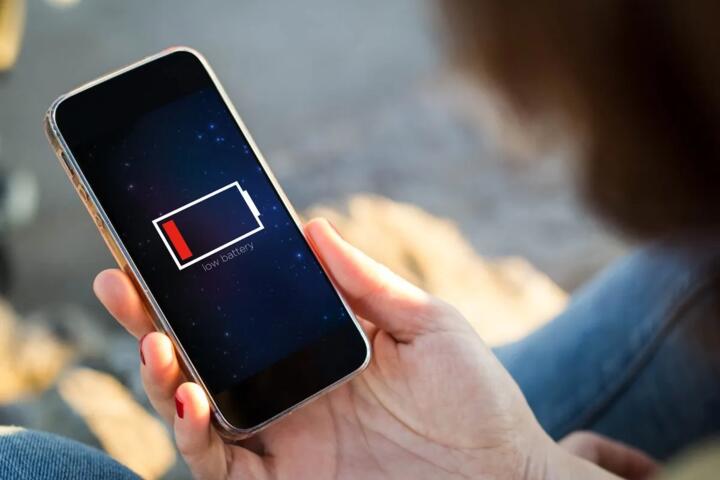
Every gadget from smartphones to laptops depends heavily on its battery, typically lithium-ion chemistry today. These batteries provide stable voltage and high energy density but degrade gradually with use. For example, a standard lithium-ion battery drops to about 80% of original capacity after 300–500 full charge cycles. I’ve tested dozens of phones and nearly all lose noticeable battery life after a year or two.
The capacity drop means the device runs shorter on a single charge and sometimes shuts down unexpectedly. Voltage under load also declines, affecting performance, especially in older devices or cheaper brands. Even if a battery appears fine at rest, real usage reveals its weaknesses.
Battery aging impacts all mobile users; gamers feel lag sooner, professionals lose hours in the field, and everyone gets frustrated looking for a charger constantly. A 2021 Consumer Reports study showed over half of users replace phones primarily due to battery issues.
In one case, I noted a MacBook Pro’s battery fell from 6000mAh to 4000mAh after 18 months, reducing its runtime from 10 hours to roughly 6.5. This capacity fade is invisible but very real.
Battery Issues Users Face
A big misconception is that batteries wear out suddenly or are defective if they weaken quickly. Actually, degradation starts early but worsens over time. People often overlook temperature effects; many note worse battery life after a hot summer or without realizing that cold can temporarily reduce capacity too.
Another mistake is charging habits. Leaving your smartphone plugged in at 100% for hours overnight can push voltage stress higher than optimal. Devices like Samsung Galaxy S20 report faster aging when regularly charged above 90% without discharging below 20%. This shortens absolute lifespan by up to 30%, frankly annoying for most.
Using fast chargers often leads to higher heat, accelerating chemical breakdown inside cells. This means that the convenience of 30-minute supercharging often costs you actual battery health months down the road.
Neglect also matters. Using unofficial chargers or cables can cause voltage spikes and improper current flow, damaging the battery irreversibly. Those weird third-party power bricks bought at airport kiosks come to mind.
Consequences include not only less usage time but risks of system instability, unexpected shutdowns, and in rare scenarios, swelling batteries creating safety hazards. Wholly ignoring battery health leads to device replacements sooner than desired.
Practical Fixes and Tips
Manage Charge Levels
Stop charging to 100% all the time. Manufacturers like Apple recommend keeping battery charge between 20% and 80% for normal daily use. Tesla’s battery management software does something similar to protect automotive battery packs. Apps like AccuBattery let you monitor this and alert when you hit upper limits.
Cool Down Your Device
Battery chemical reactions accelerate at higher temperatures. Ambient heat above 35°C (95°F) noticeably speeds degradation. Avoid leaving phones exposed on dashboards or near heaters. For instance, I always remove phone cases during charging to improve cooling.
Avoid Deep Discharges
Draining lithium-ion batteries below 10% strains internal chemistry, risking capacity loss. It rarely causes permanent failure but accelerates wear. Many users wait too long before plugging in; charging around 30% or 40% extends lifespan subtly but meaningfully.
Use Official Chargers
Certified chargers and cables regulate current delivery accurately. Unofficial adapters may cause voltage fluctuations damaging cells. Smartphones with USB Power Delivery (USB-PD) work best with matching chargers. Avoid bargain USB-C cables lacking proper certification.
Update Firmware
Manufacturers roll out battery management improvements in firmware updates. For example, iOS 14 introduced ""Optimized Battery Charging"" to minimize time spent at 100%. Failing to update your phone or laptop leaves you vulnerable to suboptimal battery handling, sadly a detail most ignore.
Limit Fast Charging Use
Use fast charging only when necessary. Regular daily charging at lower wattage slows cell aging. For example, Samsung lets users disable Super Fast Charging mode in settings; I keep it off except for travel.
Calibrate Battery Occasionally
Sometimes, device software loses accurate battery reporting. Fully charge once to 100%, then discharge to around 5%, and recharge fully. This simple routine refreshes internal counters but doesn’t restore capacity. Works more reliably for older phones with less smart battery firmware.
Consider Battery Replacement
If capacity dips below 70–75%, replacement improves usage. Many phones, such as Pixel or iPhone models post-2016, offer serviceable batteries, which can restore original runtimes and performance. Authorized service centers provide genuine parts; third-party fixes often remove warranty but might be cheaper.
Lessons From Real-World Uses
A popular retailer noted that after switching to a specialized charging app on employee handhelds, average battery runtime during shifts improved by 20%, reducing downtime. The app limited maximum charge to 85% and paused charging at high temperatures.
Another case: a remote survey company noticed devices shipped to tropical regions suffered rapid battery loss. By changing shipping to include cool boxes and educating users not to leave devices charging overnight, they extended battery effective life from 1 year to nearly 18 months.
Quick Battery Health Checklist
| Check | Status | Fix Needed? | Frequency |
|---|---|---|---|
| Charge limit | Below 85% | Sometimes | Daily |
| Battery temp | <35°C optimal | Yes | Often |
| Firmware updated | Latest | Critical | Monthly |
| Use certified charger | Yes/No | Yes | Always |
| Calibrate battery | N/A | Occasional | Every 3 mo |
Batting Errors & Fixing
Charging overnight topped with a case on is the classic fail—heat builds inside and pushes the chemistry too hard. I’ve seen users complain their phone loses charge fast after that. Try removing the case during charge; temperature drops by almost 3°C.
Thinking a zero percent readout means total empty is another error. Lithium-ion batteries don't like full depletion—it stresses cells. Charging before hitting 10% is a small effort, but prolongs cell life a lot.
Ignoring software updates can halt access to improvements like dynamic charging controls introduced around 2020 on some models. Checking for updates monthly fixes that.
FAQ
How many full cycles before degradation?
Most lithium-ion batteries begin degrading after 300 to 500 full charge cycles, dropping to 80% capacity or less.
Can I repair a dead battery?
No, dead lithium-ion batteries require replacement. Some states allow recycling or trade-in for discounts on new batteries.
Does fast charging harm battery life?
Yes, it creates extra heat and stress, accelerating aging, especially with frequent use over months or years.
Is it better to keep devices plugged in?
Keeping devices at 100% all the time stresses batteries. Charging between 20% and 80% prolongs longevity.
Why do batteries fail faster in heat?
Heat speeds internal chemical reactions that break down battery components, permanently reducing capacity.
Author's Insight
Years working with devices taught me battery health doesn’t depend on a single factor but a combination—charge habits, temperature, and real-world use all add up quickly. I’ve seen users waste money on new gadgets when a battery replacement or simple tweaks would suffice. Firmware updates saved me headaches on several occasions, though many folks skip them. A calibrated approach keeps devices going longer while avoiding the frustration of sudden shutdowns.
Key Points
Batteries degrade because chemical and physical changes accumulate with charge cycles, heat, and improper care. Avoiding extreme charge states, minimizing heat, using official chargers, and routine firmware updates help delay capacity loss. Monitor battery health using apps or system tools. When capacity falls significantly, replacing the battery extends device life without full replacement. Regular small adjustments protect your investment and improve daily reliability.