Phone Breaks Feel Hard
Phones rarely feel like tools anymore. They behave more like background noise that never stops changing. A typical user unlocks their device dozens of times before lunch, often without a clear reason for each check. Around 4 hours and 37 minutes per day is common screen time on smartphones in many reports, though heavy users exceed 7 hours easily.
Delete social apps first. Notifications drive compulsive checking. This single change reduces unlock frequency within 48 hours for many users.
Short break attempts usually collapse because the environment stays unchanged. Same apps, same alerts, same habits. The phone keeps pulling attention back even when willpower is intact. Something still feels unfinished...
Conclusion arrives early here. The device trains behavior faster than intention. Because every swipe reinforces the next one.
People underestimate how often boredom triggers pickup behavior. Waiting in line, sitting on a bus, closing a laptop after work. The hand moves before thought catches up.
Breaks fail quietly. No announcement. Just drift.
Why Phones Stick
Apps are designed around variable rewards. Instagram, TikTok, and YouTube Shorts do not deliver predictable content patterns. That randomness increases checking frequency across the day.
Social platforms optimize for time-on-app, not completion. A user might plan a 2-minute check and lose 25 minutes without noticing. One scroll leads to another, then another.
Stop blaming discipline alone. The system is engineered for return behavior. Because frictionless design removes stopping cues.
Most people feel “caught up” after checking notifications. That feeling resets quickly. Then the loop begins again.
Phones also remove idle silence. Silence used to exist in elevators, waiting rooms, and evening downtime. Now it gets replaced instantly.
Conclusion: attention fragmentation is default. Because devices never close the loop.
Ways To Step Away
Turn Off Push Alerts
Push notifications are the fastest entry point into attention loss. Disabling them reduces accidental opens by up to 30–40% in early tracking studies from digital wellbeing tools.
Start with messaging previews and social apps. Keep only calls and banking alerts active. Everything else can wait for manual checks.
Small change. Big silence.
Move Social Apps Off Home Screen
Visibility drives usage more than intent. Removing Instagram, TikTok, and X from the home screen forces an extra step that interrupts autopilot behavior.
Users of Apple Screen Time often combine this with app limits to reduce usage by 1–2 hours per day after one week.
Conclusion first. Friction matters more than motivation. Because convenience wins every time.
Use Screen Time Limits
Apple Screen Time and Google Digital Wellbeing allow daily caps per app. Setting a 45-minute limit on social media creates a visible stopping point.
Most people ignore soft boundaries but respond to hard locks. Once the timer hits zero, access requires deliberate override steps.
That interruption breaks the scroll loop.
Try App Blockers
Tools like Freedom, Opal, and One Sec block access during set hours. Many users report 2–3 fewer hours of daily screen exposure after consistent use.
Blocking works because it removes negotiation. No decision fatigue. No “just five more minutes.”
Some users bypass it anyway. That tells you something...
Replace Scroll With Rituals
Stopping usage without replacement rarely lasts. Swap phone checks with fixed actions like reading 10 pages, walking 15 minutes, or making coffee.
The brain prefers substitution over removal. A gap appears without it.
Behavior needs a landing point.
Set Physical Phone Boundaries
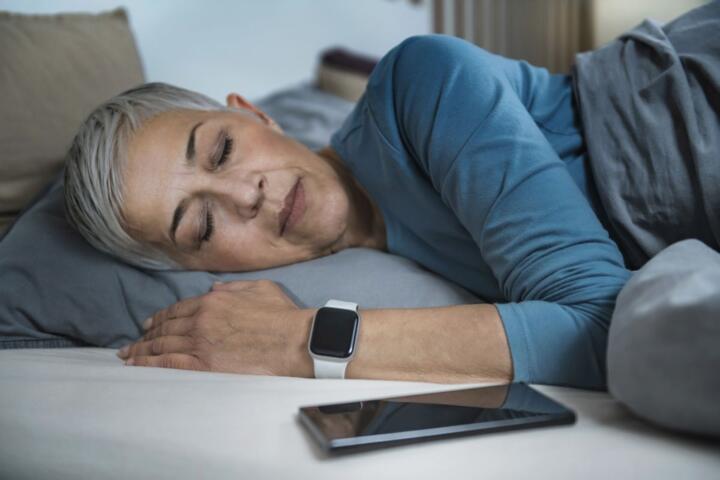
Keep the phone out of the bedroom. Sleep tracking studies show screen removal improves sleep onset by around 20–30 minutes for many users.
Charging stations outside rooms reduce morning and night checking loops. The first 15 minutes of the day stay unfiltered.
Keep distance. Let silence exist.
Use Greyscale Mode
Turning the screen to greyscale reduces visual reward signals. Colors trigger micro-engagement loops, especially red notification badges.
Users often report lower compulsive checking within 3–7 days of switching.
It looks dull. That is the point.
Case Studies From Users
A product designer in Berlin reduced screen time from 6 hours 10 minutes to under 3 hours daily using app blocking and greyscale mode. The first change was removing social apps from the home screen, followed by strict 9 p.m. blocking rules.
After two weeks, evening scrolling disappeared. Work focus improved in measurable blocks of 90 minutes without interruption.
Another case involved a freelance writer in Toronto who relied heavily on Instagram for client outreach. Usage hit 5.5 hours per day. After shifting outreach to email and limiting app access to 30 minutes daily, usage dropped by 60% within 10 days.
Productivity increased, but not immediately. The first 3 days felt unstable...
Phone Use Patterns
| Pattern | Avg Time | Trigger | Result |
|---|---|---|---|
| Social Scroll | 120 min | Boredom | Lost focus |
| Work Checks | 90 min | Notifications | Fragmented time |
| Passive Use | 60 min | Habit | Low recall |
| Intentional Use | 45 min | Task | Completion |
Common Mistakes
Most people treat digital breaks like short detox periods. They cut usage for a weekend, then return to old habits on Monday. That pattern resets everything.
Another mistake is relying on willpower alone. Willpower fades after roughly 3–4 decisions under stress. Phone habits do not require decisions, which makes them stronger over time.
Stop using multiple tracking apps at once. Too many dashboards create noise instead of clarity.
People also underestimate nighttime usage. Even 15 minutes of late scrolling shifts sleep cycles significantly.
Then there is the “just one check” assumption. That single check rarely stays single.
Habits win quietly.
FAQ
How long should a real phone break last?
At least 7–14 days produces noticeable behavioral change. Shorter breaks reduce usage temporarily but rarely break the underlying loop.
Do app blockers actually work?
Yes, especially when combined with friction tools like greyscale mode and removed home screen icons. Alone, they are easier to bypass.
Is checking email still okay?
Yes, but batch it. Two or three fixed windows per day reduce constant interruption patterns.
What is the biggest trigger for phone use?
Boredom and micro-waiting moments. People reach for phones during transitions more than during tasks.
Does greyscale really reduce usage?
Yes. Removing color reduces reward signals tied to visual stimulation, often lowering compulsive opens within a week.
Author's Insight
I have tested phone reduction patterns across different work routines, and the biggest shift never came from cutting apps first. It came from removing access points that made checking effortless. Once that changed, usage dropped without constant effort.
The early phase always feels uneven. Attention keeps reaching for old patterns...
What surprised me most was how quickly silence returns once the device stops filling every gap.
Summary
Taking a real break from your phone depends less on time away and more on breaking access loops. Notifications, visibility, and habit triggers drive most usage patterns. Once those are reduced, daily screen time can drop by several hours within a week.
Start small, but remove frictionless entry points first. Then let the space stay open.