Content Calendar Purpose
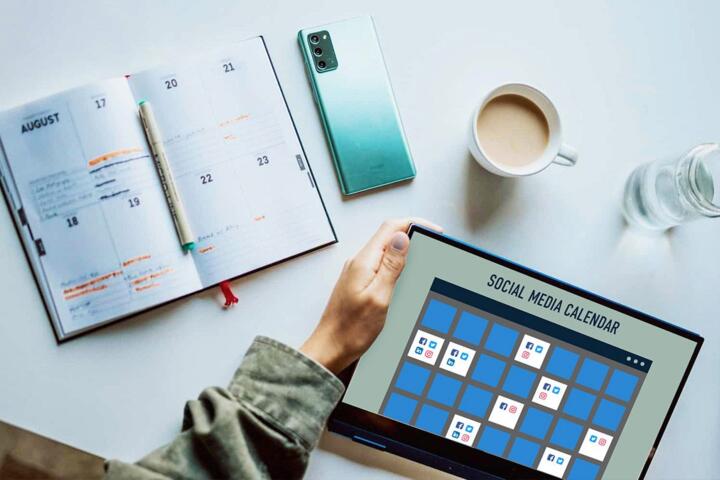
A content calendar is a planning document that maps what you publish, when you publish it, and why each item exists. For creators, it acts like a shared map between your ideas and your production reality: research time, drafting time, editing time, and distribution time. A calendar also records constraints such as seasonal topics, product release dates, and recurring series deadlines.
In practice, a calendar prevents the common pattern of “idea collection” that never becomes scheduled work. When you write down a post title, a target audience, and a draft status, you stop treating content as a vague intention. You also create a place to track dependencies like keyword research, source review, and fact-checking, which matters when accuracy affects trust.
Example: if you publish a weekly newsletter, you can schedule a 60–90 minute research block on Monday, a draft on Tuesday, and an edit pass on Wednesday. That rhythm turns publishing into a repeatable system rather than a last-minute scramble. I’ve seen creators lose a week because they planned only the “topic,” not the research and revision steps that topic requires.
Calendars also help you manage audience expectations. If your series is “Explainers,” you can keep the format consistent by scheduling similar structure across episodes. When you mix formats without planning, readers notice the inconsistency, and you spend extra time re-explaining your own premise.
Main Problems Creators Face
Creators often treat a calendar as a list of dates. That approach fails because dates do not describe the work required to produce publishable content. A calendar that lacks status fields (planned, drafting, editing, scheduled, published) turns into a static spreadsheet that stops helping once the first week passes.
Another failure mode is planning at the wrong level of detail. If you schedule only “write about health tips,” you still need to decide which claim to support, which sources to check, and which format fits. If you schedule “explain how to read nutrition labels,” you can attach a checklist for what to verify, such as serving size, added sugars, and percent daily value context.
Calendars also depend on supporting tools and habits. You need a place to store drafts, a way to capture research notes, and a workflow for review. Many creators use a task manager (like Todoist) plus a document tool (like Google Docs) and a spreadsheet for scheduling. The calendar becomes useful only when it connects to those other steps, and it rarely works the way the docs say.
Finally, creators underestimate the cost of revisions. A fact-check pass can take longer than the draft itself, especially when you correct terminology or update references. Without a revision buffer, your calendar looks fine until the first time you need to change a claim after sources come in.
Solutions And Practical Advice
Build A Two-Layer Calendar
Create a “publishing calendar” for dates and a “production calendar” for work steps. The publishing calendar lists the post title, format (newsletter, short video, long article), target audience, and status. The production calendar breaks each item into tasks such as research, outline, draft, edit, and review. If you use a tool like Notion, version your production pages (for example, “v3 outline”) so you can see what changed and why.
For a weekly cadence, a realistic starting point is 4–6 hours per item for research and drafting combined, plus 1–2 hours for editing and formatting. If you publish daily, you will need smaller formats or a larger backlog, because the revision time does not shrink linearly.
Use Templates For Repeatable Formats
Templates reduce decision fatigue and keep quality consistent. For example, an educational post template can include: a one-paragraph definition, a “common mistakes” section, a short checklist, and a references or verification note. When you draft, you fill the template fields rather than inventing structure each time.
Keep templates honest: if a template includes a “sources” section, you must schedule the source review task. A template without a verification step turns into a style guide, not a trust tool. I once watched a creator reuse a template for months and only later realized they had stopped checking whether older claims still matched current guidance.
Schedule Research With Time Boxes
Time-box research so it ends. A practical method is to set a 45–75 minute block to gather sources, then a separate 30–45 minute block to extract the specific facts you will cite. Write the facts you plan to use in the draft, not in a separate note file that you never revisit.
Track what you verified. A simple field like “claims verified: 6/8” helps you avoid publishing with missing support. When you miss the target, you can reschedule the item before it goes live, which protects accuracy and reduces rework.
Measure Output With Simple Metrics
Measure results in a way that matches your goals. If your goal is audience learning, track “returning viewers” or “read-through rate” for long posts, plus saves or shares for checklists. If your goal is newsletter growth, track open rate and click rate, but interpret them with context such as subject line changes and send time.
Use a monthly review: compare planned vs published items, and note which stage consumed extra time. If research consistently overruns by 30 minutes, adjust the calendar by moving draft earlier or reducing the number of claims per post.
Case Examples For Creators
Scenario 1: Newsletter with a recurring series. A creator runs a weekly newsletter called “Health Label Reads.” They schedule each issue with a fixed structure: definition, three label concepts, and a short “what to watch for” checklist. Their calendar includes a research task that must be completed before drafting. After two months, they notice that the checklist section takes longer than expected, so they add an extra 20-minute edit pass for that section. The result is fewer late changes and less time spent rewriting the same checklist wording.
Scenario 2: Multi-format content for a small team. A two-person team publishes one long article per month and three short clips per week. They use the calendar to link each clip to a section of the long article draft. The production calendar includes a “clip extraction” task after the long article outline is approved. This prevents clips from drifting into unrelated topics and reduces the number of times they have to re-record because the long article changed.
Checklist And Comparison
| Planning Method | What You Track | Where It Breaks | Best Use Case |
|---|---|---|---|
| Date-Only List | Publish dates and titles | No research or revision steps, so deadlines slip | Low-frequency posting with stable content |
| Calendar + Status | Dates, formats, and workflow status | Templates missing, so quality varies | Weekly or biweekly publishing |
| Two-Layer Calendar | Publishing dates plus production tasks | Overhead if you track too many micro-tasks | Multiple formats or accuracy-heavy topics |
Step-by-step checklist (first month):
- Pick one content type to standardize (for example, educational posts with checklists).
- Create a template with fields for claim scope, audience, and verification notes.
- For each scheduled item, add tasks for research, outline, draft, edit, and final review.
- Leave a buffer: schedule final review 24–48 hours before publishing.
- After publishing, log actual time spent per stage and adjust the next month’s calendar.
Common Mistakes To Avoid
One mistake is mixing “content ideas” with “publish-ready drafts.” If your calendar includes raw ideas, you will overestimate output and underestimate editing time. Separate ideation from production so you can see how many items are truly ready to draft.
Another mistake is ignoring lead time for verification. Educational content often needs source checking, terminology alignment, and sometimes legal or medical disclaimers depending on your niche. If you schedule verification on the same day as drafting, you will either publish with gaps or rush edits.
Creators also overcommit to a cadence that does not match their revision needs. A calendar that schedules five posts per week but budgets only one hour per post for editing will produce inconsistent quality. You can keep the cadence by reducing scope per post, not by shortening verification.
Finally, avoid turning the calendar into a performance metric. If you measure only “number of posts,” you may choose topics that are easy to produce rather than topics that match your audience’s learning goals. A calendar should support decisions about scope, not pressure you into publishing low-fit content.
FAQ
What should a creator track in a calendar?
Track publish date, format, topic scope, draft status, and the specific production tasks that must finish before publishing (research, outline, draft, edit, review).
How far ahead should I plan content?
Plan at least 2–4 weeks ahead for educational posts, and keep a smaller “ideas backlog” for items you might schedule later after you see what your current workflow can handle.
Do I need a separate production calendar?
For multi-step work, yes. A production calendar shows research and revision tasks so deadlines reflect the real effort, not just the publish date.
How do I prevent my calendar from becoming outdated?
Update status fields after each work session and run a weekly 15-minute review to reschedule items when research or editing overruns.
What metrics show whether the calendar is working?
Use planned vs published counts, time spent per stage, and audience engagement metrics that match your goal (for example, read-through for long posts or click rate for newsletters).
Author's Insight
A content calendar works when it connects to the production steps that create publishable work: research, drafting, editing, and verification. A calendar that records only dates fails because it does not model the time and dependencies behind accuracy. The most practical approach is a two-layer system with templates and time-boxed research, then a monthly adjustment based on actual stage durations.
Versioning drafts and tracking verified claims reduce rework when sources change or when you revise wording for clarity. If you treat the calendar as a living workflow tool rather than a static plan, it stays useful even when your schedule shifts.
Key Takeaways
- A content calendar maps topics to dates and to the tasks required to publish with consistent quality.
- Most planning failures come from missing workflow status, missing research/revision steps, or overcommitting to a cadence.
- Use a two-layer calendar, templates for repeatable formats, and time-boxed research with a verification buffer.
- Review planned vs published output and stage time monthly, then adjust scope and lead time based on what actually happened.